Questwright Manual

The Questwright Manual

Your Guide to AI-Powered Adventure
Web + Discord Play Anywhere 1,000+ Rules Entries 63 AI Tools D&D 5e Rules Engine

Getting Started

What is Questwright?

Questwright is a web-based D&D 5th Edition campaign manager powered by AI. Create characters, run campaigns, and play adventures through an immersive web interface - with optional Discord integration for players who prefer chat-based gameplay.

Unlike traditional tools, Questwright is your AI Dungeon Master. It tracks your character's story, manages NPCs, weaves your backstory into the narrative, and remembers every choice, relationship, and consequence. It creates a living world that responds to you.

Creating Your Character

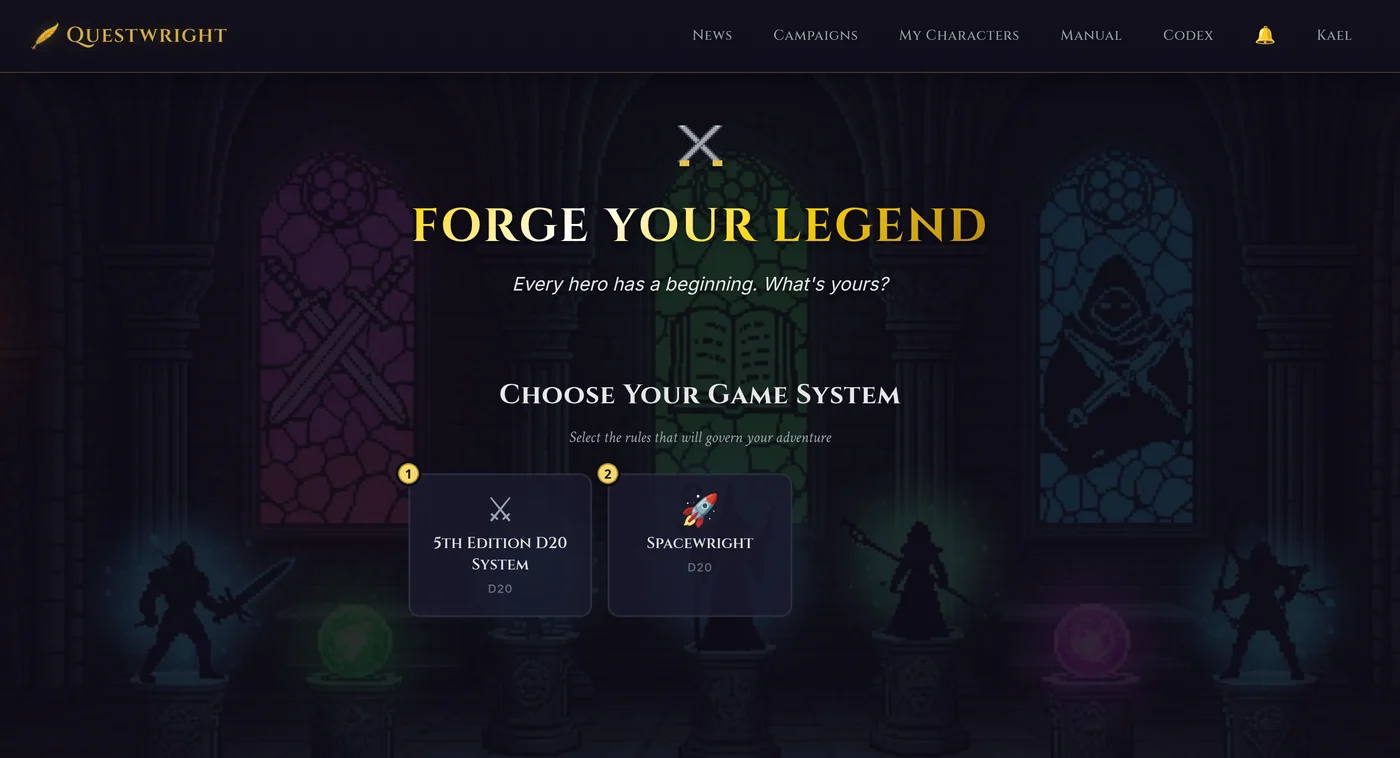
The best way to create a character is using the Web Character Creator. It's a guided 7-step wizard that walks you through race, class, background, abilities, equipment, spells, and backstory - all in one place.

  1. Log in to the web interface at questwright.app
  2. Click Create Character or go to the Character Creator
  3. Follow the step-by-step wizard to build your character
  4. Your character is ready to play!

Joining a Session

Once your character is created, you can join campaigns directly from the web. Go to Campaigns in the navigation, select a campaign, and click Play to jump into the action. Your character is automatically linked to your account.

Basic Gameplay

From your campaign page, click the Play button to enter the gameplay interface. The core actions are:

  • Say - Speak in character to NPCs or other players
  • Do - Take actions in the game world
  • Roll - Roll dice with custom notation
  • Check - Make skill checks with auto-calculated modifiers
  • Save - Make saving throws with auto-calculated modifiers

Questwright responds to your actions naturally. Describe what you want to do, and it will narrate the results, ask for rolls when appropriate, and move the story forward.

Infinite Campaign Mode

Questwright supports infinite campaign mode - continuous play without explicit session starts and stops. Players can take actions anytime and Questwright will respond, picking up right where you left off.

This is perfect for asynchronous play where different players are online at different times. The story continues whenever anyone engages, and Questwright remembers everything.

Your Account

Questwright's web interface uses accounts to keep your characters, campaigns, and progress organized. Your web account can be linked to Discord for seamless cross-platform integration.

Getting Access

Questwright is currently in private beta. To join, click Request Access on the login page or visit the request access page directly.

The fastest way to request access is to sign in with Discord - this automatically links your Discord account and lets us know who you are in the community.

Beta access requests are reviewed by the team. Once approved, you'll be able to sign in and start creating campaigns and characters.

Sign In Options

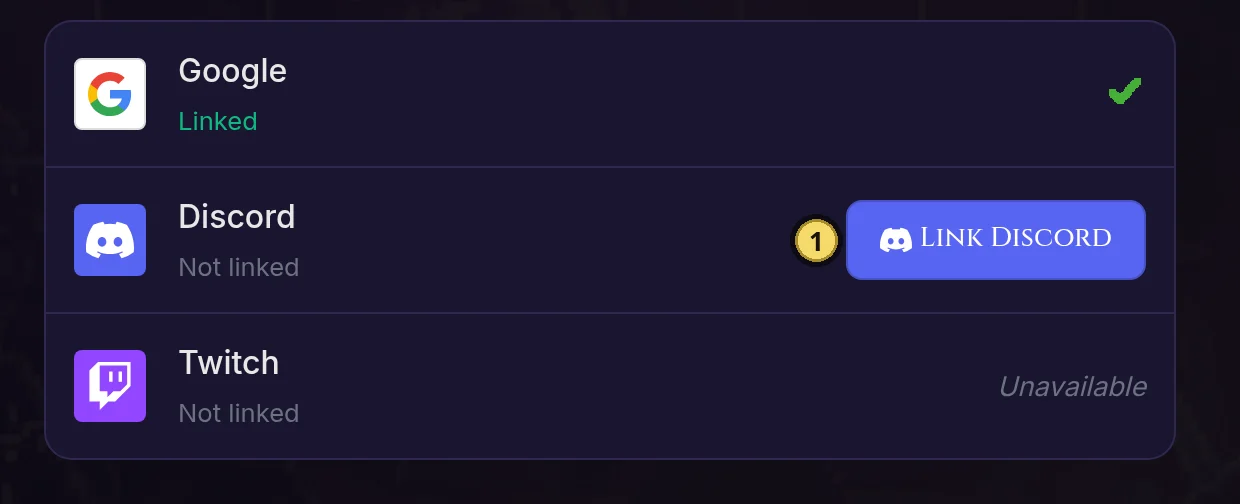
Questwright lets you sign in with accounts you already have:

Google

Sign in with your Google account. Fast, secure, and no new password to remember.

Discord

Sign in with Discord to automatically link your account for character syncing.

Twitch

Sign in with your Twitch account if you prefer that platform.

When you sign in with one of these services for the first time, an account is created automatically. You can link multiple services to the same account from your profile page.

Profile Settings

Click your name in the navigation bar to access your profile page. From here you can:

  • Change Password - Update your account password
  • Update Display Name - Change how your name appears
  • Link Discord - Connect your Discord account for character syncing
  • View Your Characters - Quick access to all characters linked to your account

Linking Discord

Linking your Discord account enables powerful cross-platform features:

  • Automatic character claiming - Characters you create are automatically linked to your account
  • Web character access - View and manage all your characters from the web interface
  • Cross-platform sync - Your Discord activity and web activity stay in sync

To link your Discord account, go to your profile page and click the Link Discord Account button. You'll be redirected to Discord to authorize the connection, then brought back to Questwright with your accounts linked.

Character Linking

Characters are automatically linked to your web account in several ways:

  • Web Character Creator - Characters you create on the web are automatically linked if you're logged in
  • Linked Discord Account - When you link your Discord account, any existing characters you've created through Discord are automatically connected
  • Discord Commands - Using /register in Discord will link characters to your web account if your Discord is connected

Linked characters appear in your profile's "My Characters" section with quick links to their full character sheets.

Link your Discord account from your profile to ensure all your characters are automatically connected, whether you create them on the web or through Discord.

Web Tools

Questwright's web interface is where the magic happens. Create characters with a guided wizard, manage campaigns, play live sessions, and track your party's journey - all from your browser.

Web Character Creator

The web character creator is a 7-step wizard that walks you through building a complete D&D 5e character. Access it in the Character Creator.

If you're logged in with a linked Discord account, characters you create are automatically connected to both your web account and Discord profile.

Step-by-Step Process

  1. Race & Name - Choose your race, subrace, character name, and alignment. Use the random name generator for race-appropriate suggestions.
  2. Class - Select your class and optionally a subclass. View hit dice, proficiencies, and starting features.
  3. Background - Pick your background, which provides skill proficiencies, languages, equipment, and a special feature.
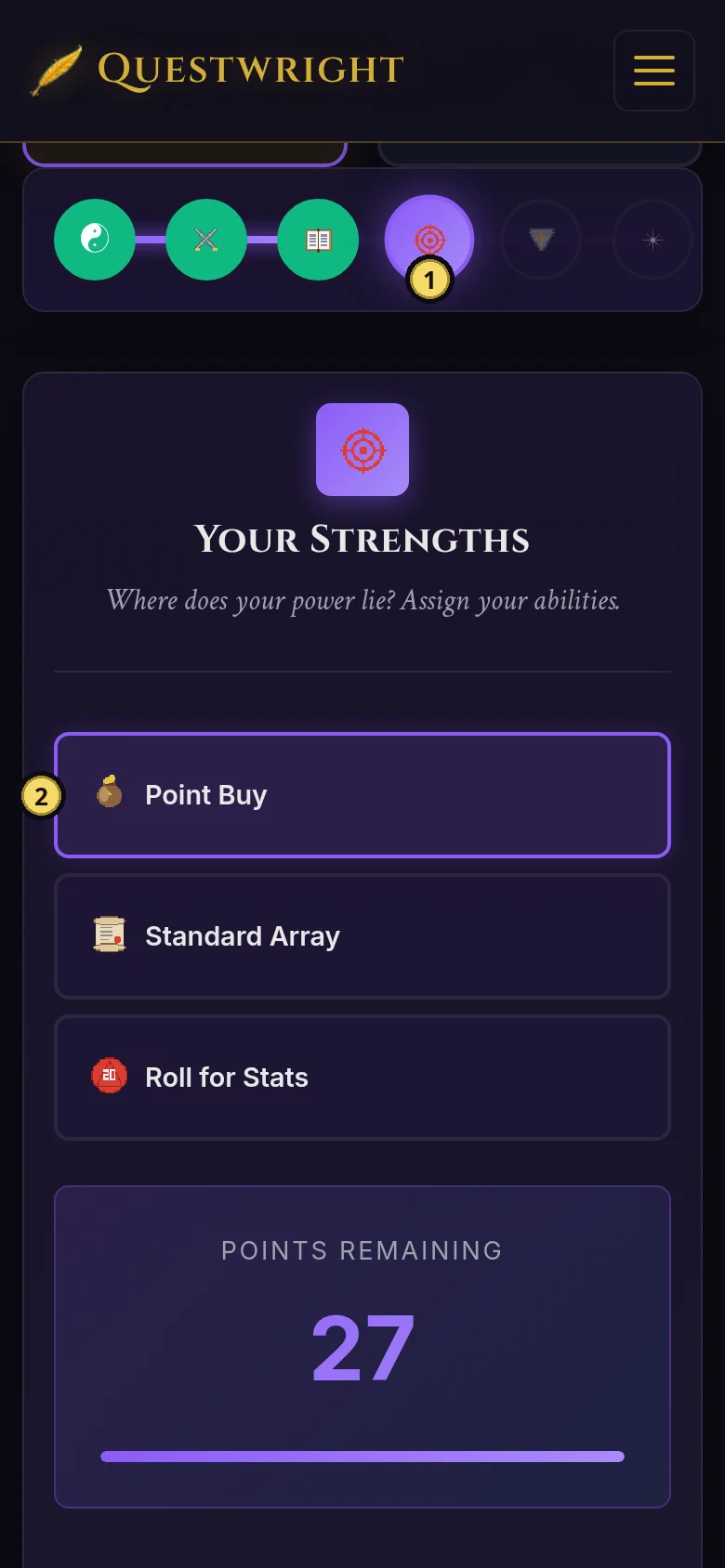
  4. Abilities - Assign your ability scores using one of three methods:
    • Point Buy - Start at 8 in all stats, spend 27 points to customize
    • Standard Array - Use the fixed values: 15, 14, 13, 12, 10, 8
    • Roll for Stats - Roll 4d6 drop lowest for each ability
  5. Equipment - See your guaranteed starting equipment and make choices where options are available.
  6. Spells - If you're a spellcaster, select your cantrips and 1st-level spells.
  7. Review - See your complete character and submit to create them.

Backstory Builder

On the Background step, you'll find an interactive backstory builder. Click on suggested story elements (origin, motivation, complication, goal) to compose a narrative, then edit it to make it your own. You can also use the "Let Questwright Enhance This" button to have AI polish your backstory into richer prose.

Click the info (i) buttons next to race, class, and background dropdowns to see detailed information including traits, features, and ability bonuses.

Web Campaign Creator

DMs can create new campaigns in the Campaign Creator. This sets up the campaign in the database so players can join and characters can be assigned. The creator offers three modes for different styles of play.

Campaign Modes

Pre-Made Campaign

Run published adventure modules. Questwright can adapt to follow published adventures while handling the moment-to-moment narration.

A Questwright Tale

Let AI generate a campaign based on your chosen genre, themes, and plot points. Get a unique adventure tailored to your preferences.

Custom Campaign

Full creative control. Define your own world, setting, plot hooks, and starting scenario. Perfect for homebrews.

Campaign Settings

  • Campaign Name - A unique name for your campaign
  • Description - Brief description of the setting and story premise
  • Leveling Mode - XP-based or Milestone progression
  • Starting Level - Character level to begin at (1-20)
  • Discord Integration (optional) - Enable Discord channel integration for chat-based play

Once created, players can create characters for your campaign using the web character creator and select your campaign from the dropdown on the final step. If Discord integration is enabled, a private channel is automatically created for your campaign.

Web Character Sheet

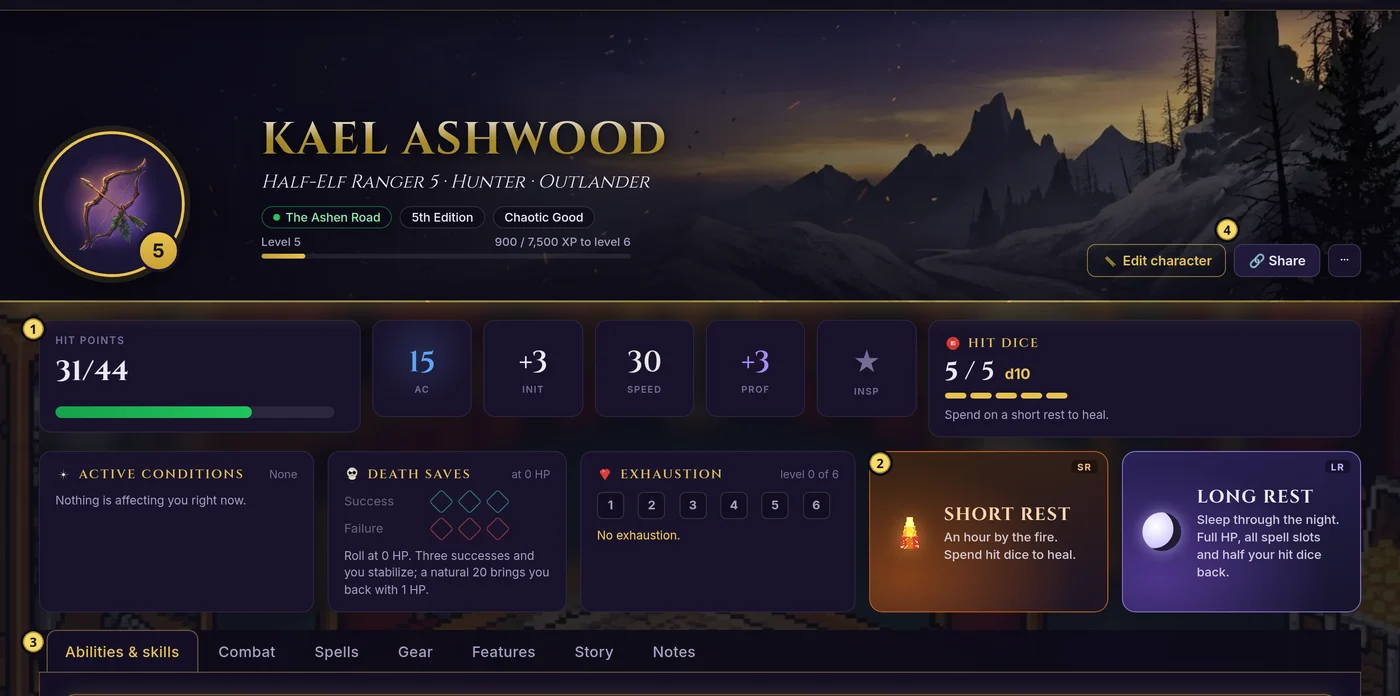
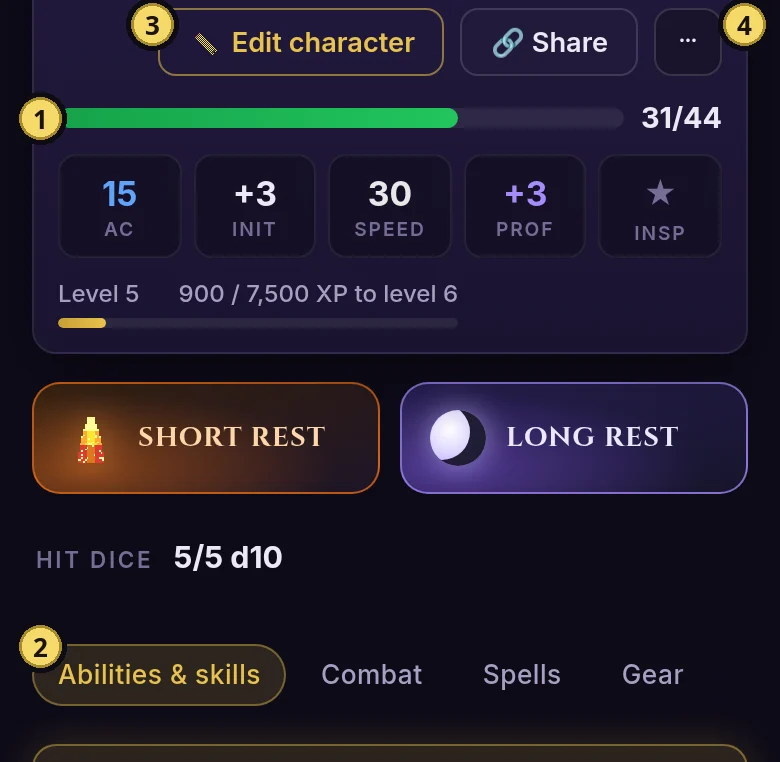
Each character has a full web-based character sheet with multiple tabs for managing different aspects of your character. Access your character sheet from your profile or campaigns page.

Character Sheet Tabs

Stats Tab

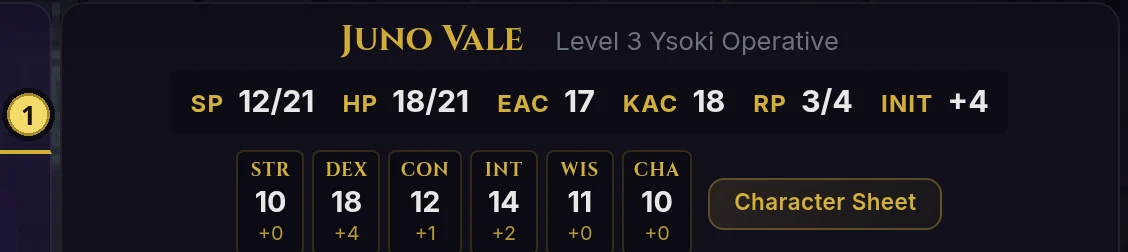
Combat stats (AC, Initiative, Speed), XP progress bar, ability scores, saving throws, all 18 skills with proficiency indicators, and racial features.

Inventory Tab

All your items organized by category, equip/unequip functionality, container organization, and currency tracking (gp/sp/cp/ep/pp).

Spells Tab

For spellcasters: spell slots by level with visual tracking, prepared/known spells, cantrips, and rest buttons to restore slots.

Relationships Tab

NPCs you've met with trust levels and relationship types. See who your allies and rivals are at a glance.

Story Tab

Active conditions affecting your character and recent story events from your adventures.

Backstory Tab

Your personality traits (personality, ideals, bonds, flaws), character backstory, and story hooks for the DM.

Secrets Tab

DM-only tab showing hidden information, story secrets, and notes that players shouldn't see. Only visible to DMs and admins.

Settings Tab

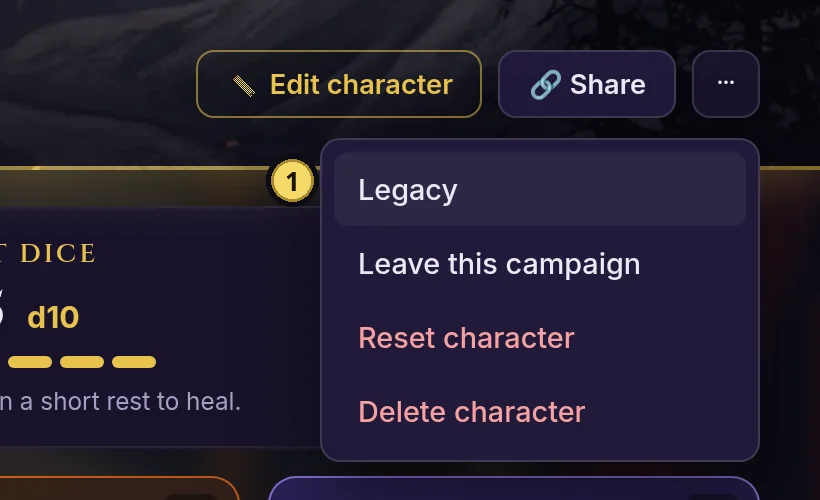
Available to character owners, DMs, and admins. Unregister a character from active play (keeps data) or permanently delete with a 3-step confirmation.

Your character sheet updates automatically during play. Items you find, NPCs you meet, and conditions you gain all appear on your character sheet without any manual updating.

Web Gameplay

Play D&D directly in your browser! The web gameplay interface lets you take actions, roll dice, and interact with Questwright. From any campaign page, click the Play button to enter the gameplay view.

Character Actions Panel

If your character has a web character sheet, you get access to the integrated actions panel. This lets you use your character's abilities directly during gameplay.

Skills Tab

Make skill checks with auto-calculated modifiers. Your proficiency bonus and ability modifiers are applied automatically. Supports advantage/disadvantage rolls.

Attacks Tab

Attack with equipped weapons. Attack bonus and damage dice are pre-filled from the weapon data. Enter a target name, click Attack, and watch the dice roll.

Items Tab

Use consumable items like potions directly from your inventory. Items are consumed automatically and effects are applied (healing potions restore HP).

Spells Tab

Cast spells from your known/prepared list. Spell slots are tracked and deducted automatically. See your spell save DC and attack bonus at a glance.

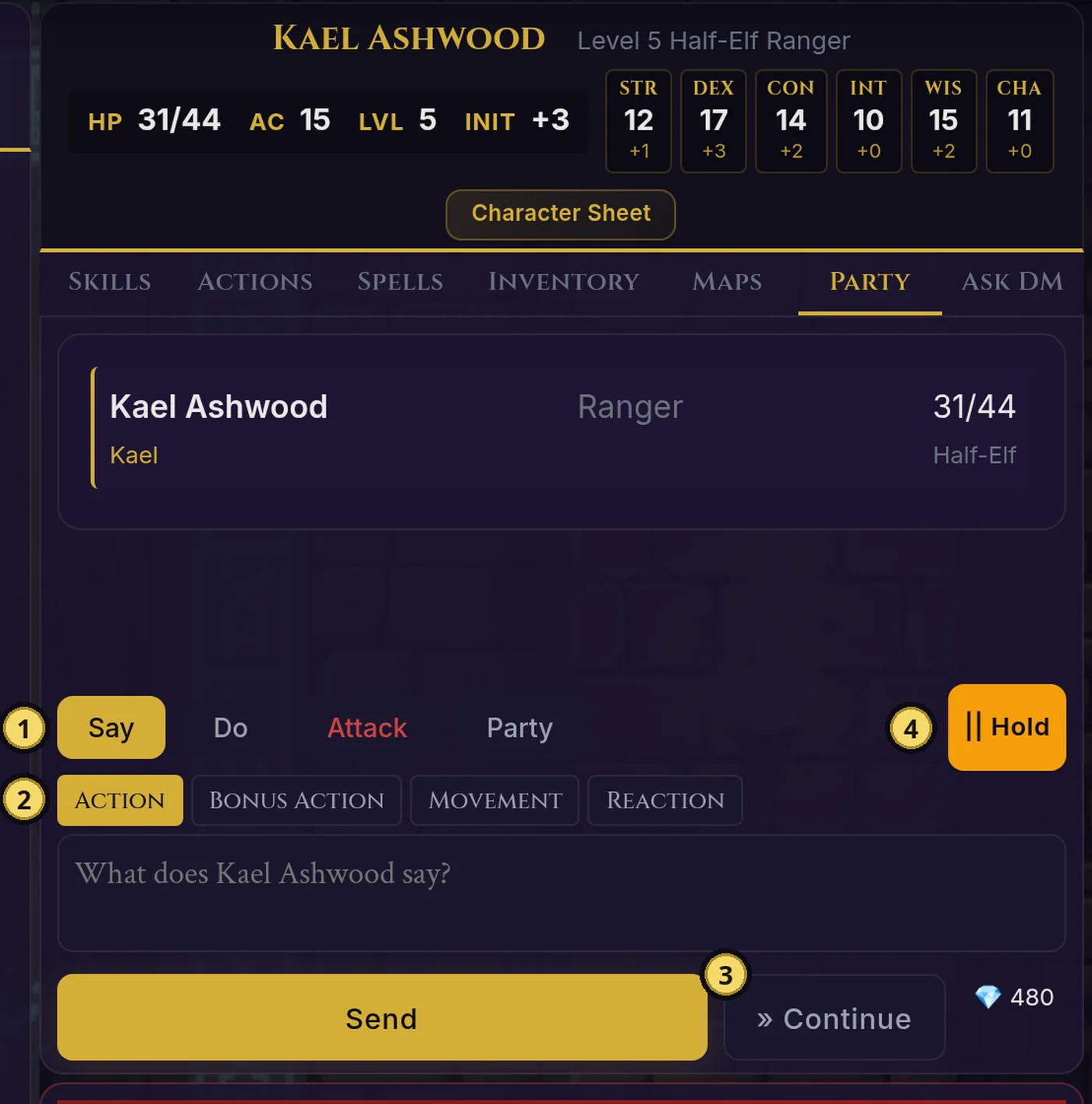
Basic Actions

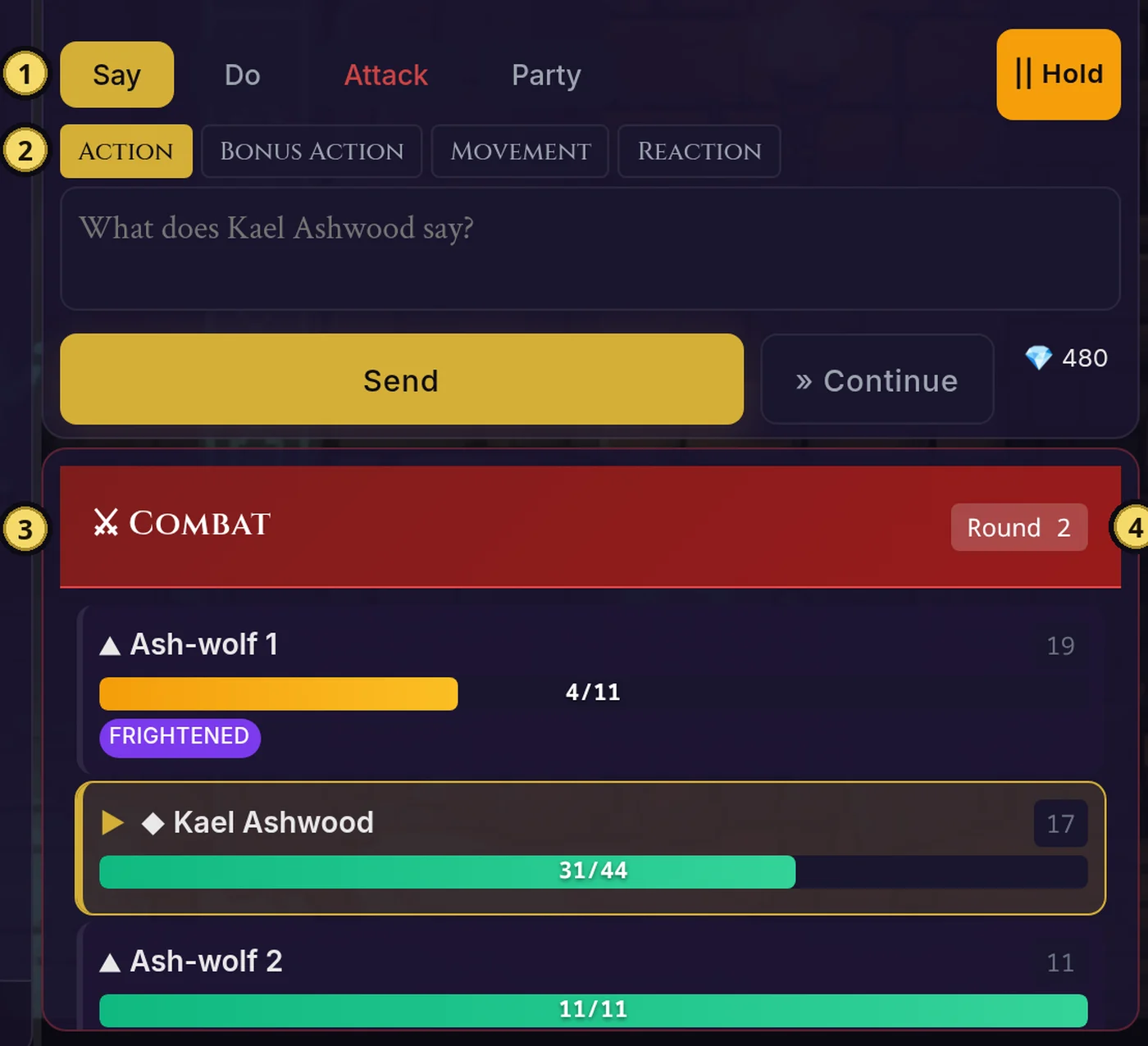
  • Say - Speak in character to NPCs or other players
  • Do - Describe an action your character takes
  • Roll - Roll any dice notation (1d20+5, 2d6, etc.)
  • Continue - Prompt the DM to advance the story
  • Hold/Go - Coordinate party actions before the DM responds
The web gameplay interface works alongside Discord. Actions taken on the web appear in the session log and can trigger the same AI DM responses as Discord commands.

Web DM Tools Panel

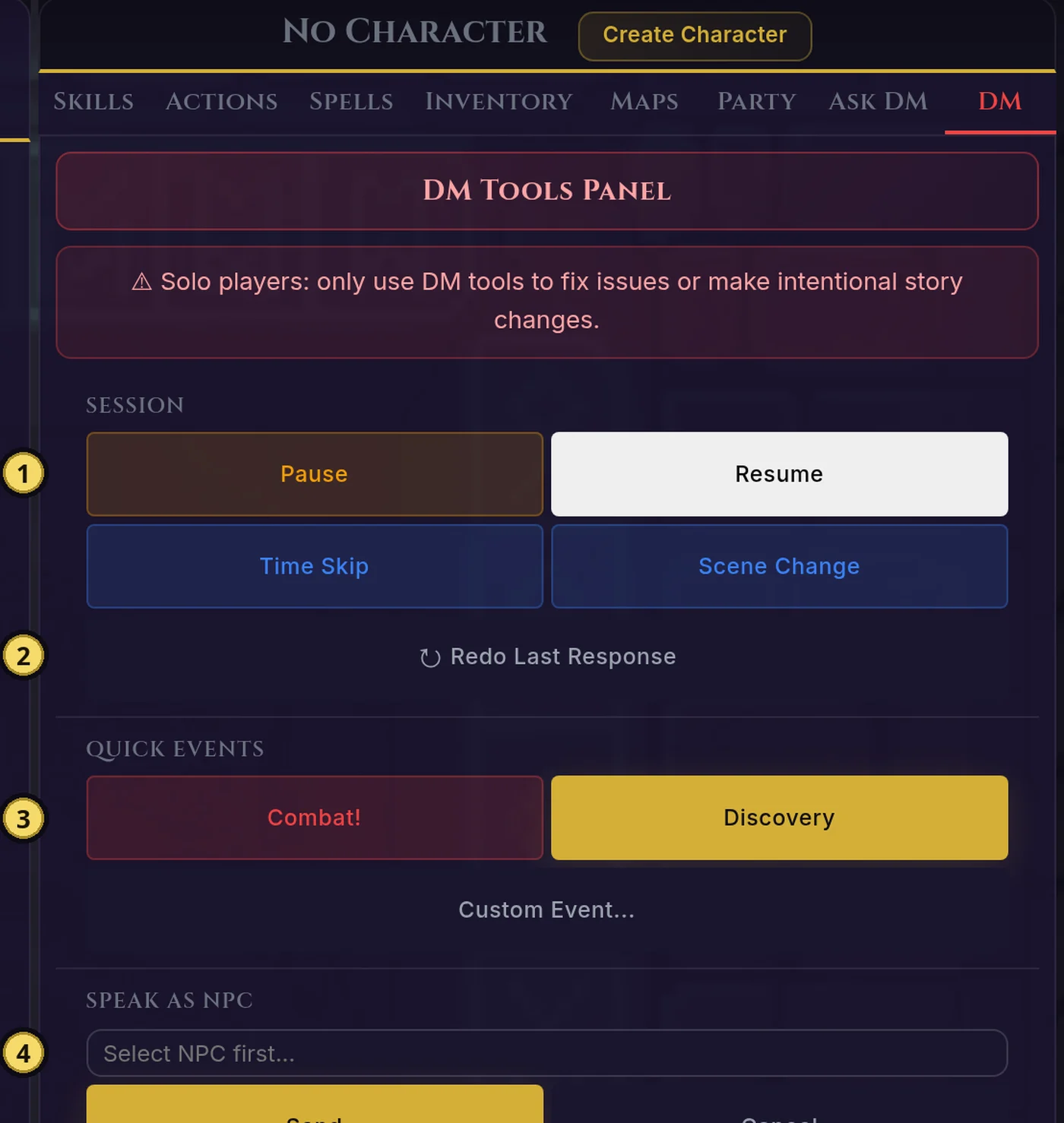
If you're the DM, you'll see a DM Tools panel on the right side of the play interface. This gives you quick access to common DM actions without leaving the gameplay view.

Session Controls

Pause and resume the session, trigger time skips, or change scenes.

Quick Events

Inject combat encounters, discoveries, or custom events into the narrative.

Speak as NPC

Select an NPC and type their dialogue directly into the session.

NPCs & Secrets

View and manage NPCs and hidden secrets. Create new ones on the fly.

For the full DM dashboard with additional tools, click "Full Dashboard" in the panel header.

NPC Directory

Each campaign has an NPC directory that tracks everyone the party has encountered. Access it from the campaign page by clicking NPCs in the navigation. NPCs are automatically added as you meet them during play.

  • Biographies - Rich descriptions of appearance, personality, goals, and motivations
  • Relationship tracking - See your relationship status with each NPC
  • Interaction history - When you first met, last seen, and key interactions
  • Status indicators - Alive, dead, missing, or other story states
  • Cross-linking - NPCs who own establishments link to their business entries

Location Directory

The location directory tracks towns, cities, and settlements the party has discovered or heard about. Access it from the campaign page by clicking Locations in the navigation.

  • Discovery levels - "Visited" shows full details, "Heard of" shows partial info
  • Party reputation - Track standing (Hostile to Celebrated) in each location
  • Wanted status - Flags locations where the party is wanted by authorities
  • Establishments - Taverns, shops, temples grouped by type with proprietor info
  • DM View - Toggle to see hidden locations and establishments

Click any location to see its detail page with all discovered establishments, their proprietors, disposition, and price levels.

Maps & Virtual Tabletop

Questwright includes a full procedural map generation system and virtual tabletop (VTT) for tactical combat. Maps are generated using algorithms and then enhanced by the AI for narrative richness.

World Maps

Each campaign can have a procedurally generated hex-based world map. Access it from the campaign page by clicking World Map in the navigation. World maps use Perlin noise terrain generation with multiple terrain types and fog of war.

Hex Grid System

World maps use hexagonal grids for natural-looking terrain boundaries. Each hex represents a region with terrain type, features, and potential encounters.

Terrain Types

Plains, forests, hills, mountains, swamps, deserts, tundra, water, and coastlines - each with distinct visual styles and gameplay implications.

Fog of War

Unexplored areas are hidden. As the party travels, the map reveals discovered regions. DMs can see the full map while players only see explored areas.

Points of Interest

Towns, dungeons, ruins, and other landmarks appear on the map. Click a POI to see details or travel there.

Battle Maps

When combat begins, the DM can generate tactical battle maps for grid-based combat. Battle maps support tokens, terrain features, and fog of war for tactical play.

  • Procedural Generation - Generate dungeon rooms, forest clearings, tavern interiors, and more
  • D&D 5e Grid - 1 cell = 5 feet, supporting standard movement and range calculations
  • Terrain Features - Walls, difficult terrain, water, lava, pits, and other hazards
  • Multiple Map Sizes - From small encounters to large battle arenas

VTT Features

The virtual tabletop canvas provides tactical combat visualization with full token management:

Token Movement

Drag and drop tokens on the grid. Token size follows D&D 5e rules (Tiny through Gargantuan). Movement tracking helps enforce speed limits.

Creature Sizes

Tokens automatically size based on creature type: Small/Medium (1 cell), Large (2x2), Huge (3x3), Gargantuan (4x4+).

Condition Indicators

Visual markers for conditions: poisoned, prone, stunned, paralyzed, frightened, restrained, blinded, charmed, and more.

Fog of War Controls

DMs can reveal areas incrementally using rectangle or circle reveal tools. Standard vision radius is 60ft (12 cells).

The VTT integrates with the narrative system. When combat ends, the story continues from where the battle left off, with all changes (HP, conditions, positions) preserved.

Backstory System

Overview

The backstory system lets you define people, places, events, and secrets from your character's past. Questwright uses this information to create personalized story hooks, bring in characters from your past, and make the world feel connected to your character.

The more backstory you add, the more personalized your adventure becomes. Your mentor might appear when you need guidance. That rival from your past might show up at the worst possible moment. The artifact you've been seeking could be rumored to be in the next town.

Ways to Create Backstory

There are several ways to add backstory to your character:

  • Web Character Creator - The backstory builder on step 3 (Background) lets you craft your story with guided prompts and AI enhancement
  • /backstory-create - Interactive DM conversation that asks questions about your character's past
  • /backstory add - Manually add specific backstory elements anytime
The web character creator's backstory builder is the easiest way to create a rich backstory. It offers story prompts you can click to build a narrative, then optionally enhance it with AI.

/backstory-create

Start an interactive backstory creation session in DMs. Questwright will ask you a series of questions about your character's past, and your answers are saved as backstory elements.

/backstory-create

This happens in private DMs so other players won't see your secrets until they become relevant in the story. You'll be asked about:

  • Where your character grew up
  • Family and relationships
  • What drives them to adventure
  • Who taught them their skills
  • Traumatic or defining events
  • Secrets they keep
  • Treasured possessions
You can type skip to skip any question, or done to finish early. Answer in as much or as little detail as you like.

/backstory add

Add a new backstory element for your character.

/backstory add type:[type] name:[name] description:[description]
Examples
/backstory add type:person name:Master Aldric description:My old mentor who taught me magic. He disappeared five years ago under mysterious circumstances.

/backstory add type:goal name:Find the Sunblade description:I've sworn to recover my family's ancestral weapon from the ruins of Shadowkeep.

Backstory Types

person

Family, mentors, rivals, friends, enemies - anyone significant from your past

place

Your hometown, a meaningful location, somewhere you want to return to or avoid

event

A defining moment - tragedy, triumph, or turning point that shaped who you are

item

A lost heirloom, a stolen artifact, something you seek or something taken from you

goal

What drives your character - revenge, redemption, discovery, protection

secret

Something your character hides - a dark past, hidden identity, forbidden knowledge

Be detailed in your descriptions! "My sister" is less useful than "My sister Elena, who I haven't seen since the fire destroyed our village. I believe she survived and is searching for me."

Managing Your Backstory

Your backstory is displayed on the Backstory tab of your character sheet, where you can view all your backstory elements organized by type.

Discord Commands

/backstory list

See all your backstory entries organized by type.

/backstory list

/backstory add

Add a new backstory element.

/backstory add type:[type] name:[name] description:[text]

/backstory-create

Start an interactive backstory creation session in DMs.

/backstory-create

Story Tracking

Questwright automatically tracks your character's journey, recording significant events, relationships with NPCs, conditions, and reputation. View this information on your character sheet tabs:

  • Story Tab - Active conditions and recent story events
  • Relationships Tab - NPCs you've met with trust levels and relationship types

Relationships

The Relationships tab shows every NPC your character has met, along with:

  • Relationship type - Ally, rival, mentor, contact, enemy, etc.
  • Trust score - From -100 (sworn enemy) to +100 (unbreakable bond)
  • Interaction history - When you first met and last interacted

Relationships evolve based on your interactions. Helping an NPC builds trust. Breaking promises or hostile actions damage relationships.

Conditions

The Story tab shows active conditions affecting your character - injuries, curses, blessings, debts, or other persistent effects. Conditions have severity levels (minor, moderate, severe, critical) and may require specific actions to resolve.

Discord Commands

/my-story

View a narrative summary of your character's journey.

/my-story

/relationships

View your relationships with NPCs.

/relationships

/conditions

View active conditions affecting your character.

/conditions

/reputation

See your standing with factions and communities.

/reputation

Taking Actions

The gameplay interface provides several ways to interact with your adventure. All actions work the same whether you're using the web interface or Discord.

Core Actions

In the play view, you'll find action buttons for the most common gameplay actions:

  • Say - Speak in character. Use for dialogue with NPCs or other players.
  • Do - Take an action. Describe what your character does and Questwright narrates the results.
  • Roll - Roll dice using standard notation (1d20, 2d6+3, etc.).
  • Continue - Let Questwright advance the story when you have nothing specific to add.
You can include brief actions with your speech by using quotes to differentiate dialogue from description. For example: I place my hand on my sword hilt. "I suggest you reconsider."

Skill Checks and Saves

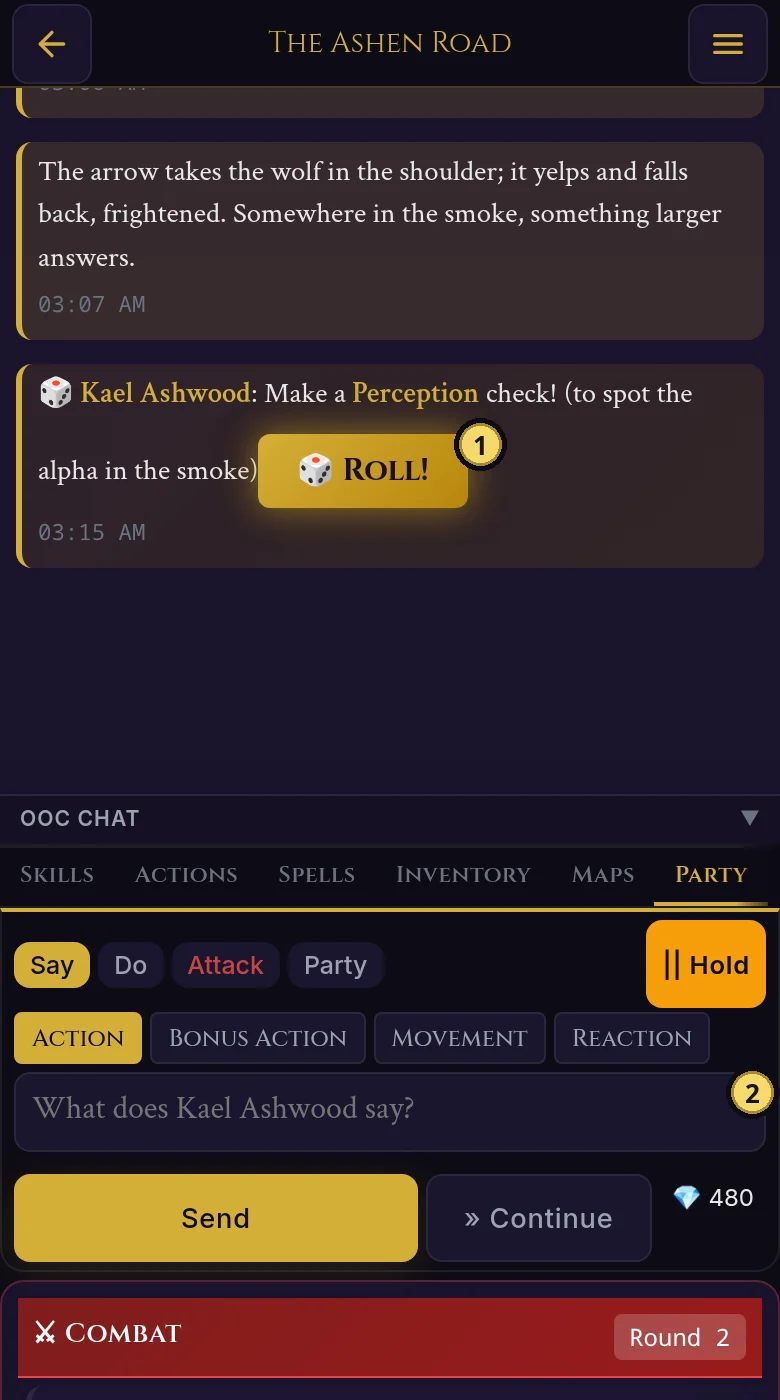
When Questwright calls for a check or save, use your character's Actions Panel to roll with auto-calculated modifiers. The Skills tab shows all 18 skills, and clicking one rolls with your proficiency and ability modifier applied automatically.

  • Proficiency bonuses are applied automatically based on your character sheet
  • Advantage and disadvantage options are available for each roll
  • Results automatically compare against the DC and report success or failure
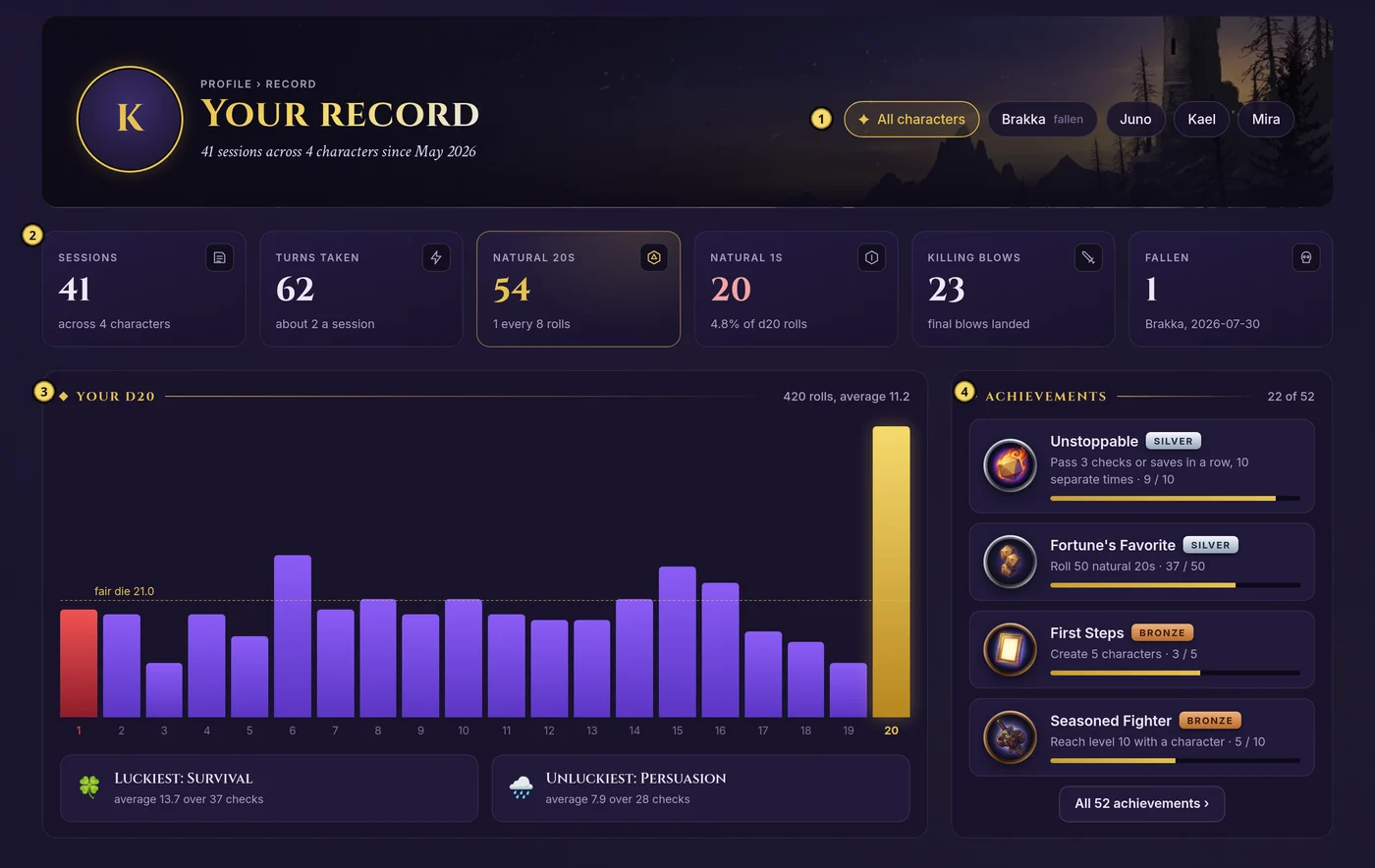
  • All rolls are logged for the campaign statistics page

Dice Notation

The dice roller supports standard D&D notation:

Notation Description Example Use
1d20 Roll one 20-sided die Basic attack roll
1d20+5 Roll with modifier Attack with +5 to hit
2d6+3 Multiple dice with modifier Greatsword damage
4d6kh3 Roll 4d6, keep highest 3 Rolling ability scores
2d20kh1 Roll 2d20, keep highest Advantage
2d20kl1 Roll 2d20, keep lowest Disadvantage

Combat

During combat, the interface shows the initiative order with current turn highlighted. Use the Attacks tab in your Actions Panel to attack with equipped weapons - attack bonus and damage dice are calculated automatically from your character data.

  • Initiative order shows round number and all combatants
  • Current turn is clearly marked
  • Players and enemies are distinguished by icons
Discord Commands

If you're playing via Discord, these slash commands provide the same functionality:

/say

/say message:[what you say]

/do

/do action:[what you do]

/continue

/continue

/roll

/roll dice:[dice notation] purpose:[reason]

/check

/check skill:[skill name] advantage:[true/false]

/save

/save ability:[str/dex/con/int/wis/cha] advantage:[true/false]

/attack

/attack target:[target name] weapon:[weapon name]

/initiative

/initiative

Shows the current combat turn order.

Party Coordination

Coordinating Actions

When multiple players want to act before Questwright responds, use the action queue. This lets everyone queue their actions, then release them together for a single, cohesive narrative response.

In the web interface, click Hold to start queuing. Other players can then submit their actions, which get queued instead of triggering immediate responses. When everyone's ready, click Go to release all actions at once.

Party Whispers

Need to coordinate with your party without NPCs hearing? Use party whispers. Questwright sees these for story continuity (and can use them for dramatic irony), but NPCs won't react unless they'd realistically overhear.

The action queue expires after 60 seconds of inactivity to prevent forgotten holds.
Discord Commands

/hold

Start the action queue. Subsequent actions get queued instead of triggering immediate responses.

/hold

/go

Release the queue and let Questwright respond to all queued actions at once.

/go

/party

Whispered party chat that NPCs won't overhear.

/party message:[whispered message]

/act

Queue an action explicitly (always queues, even without /hold).

/act action:[what you do]

Inventory System

Managing Your Inventory

Your character sheet's Inventory tab shows all your items organized by category: weapons, armor, potions, gear, and more. Equipped items are highlighted, and you can equip or unequip items with a click.

Questwright tracks items automatically during play. When you find loot, buy equipment, or use consumables, your inventory updates in real-time. No manual tracking needed.

Automatic Tracking

During gameplay, Questwright automatically tracks:

  • Loot acquisition - Items found on defeated enemies, in treasure chests, etc.
  • Purchases - Items bought from shops, including gold deductions
  • Consumables - Potions used, ammunition spent, etc.
  • Currency changes - Gold earned, spent, or lost

Currency

Your currency is displayed at the top of the Inventory tab, showing all D&D denominations: copper (cp), silver (sp), electrum (ep), gold (gp), and platinum (pp).

Party Treasury

The campaign has a shared treasury for group loot. Access it from the campaign page to see unclaimed items and shared gold. You can transfer items between your inventory and the treasury, or give items directly to other players.

Characters created via the web character creator automatically receive starting equipment based on their class and background choices.
Discord Commands

/inventory

View your character's complete inventory.

/inventory

/gold

Quick view of your currency breakdown.

/gold

/treasury

View the party's shared loot pool.

/treasury

/give

Transfer an item to another player or the party treasury.

/give item:[item name] recipient:[player or "party"]

/claim

Claim an item from the party treasury.

/claim item:[item name]

Your Characters

All your characters are accessible from the My Characters link in the navigation. Here you can see every character you've created across all campaigns, with quick links to their character sheets.

Character Sheets

Click any character to open their full character sheet with multiple tabs:

  • Stats - Ability scores, skills, saving throws, combat stats
  • Inventory - Equipment, items, and currency
  • Spells - Spell slots, prepared/known spells, cantrips
  • Relationships - NPCs you've met and your standing with them
  • Story - Active conditions and recent events
  • Backstory - Personality traits, backstory, and story hooks

Your character sheet updates automatically during play - items you find, NPCs you meet, and conditions you gain all appear without manual updating.

Multiple Characters

You can have multiple characters across different campaigns. When joining a campaign's play session, your character for that campaign is automatically selected.

Discord Commands

When playing via Discord, these commands help manage your characters:

/register

Join an active campaign session with your character.

/register

/sheet

Get a private link to your web-based character sheet.

/sheet

/my-characters

List all your characters across all campaigns.

/my-characters

/claim-character

Claim a character by name to link it to your Discord account.

/claim-character name:[character name]

/character-sync

Sync character data between web and Discord.

/character-sync

/character-profile

View character info. Options: overview, spells, features, equipment.

/character-profile detail:[option]

Rules Database

Questwright includes a comprehensive D&D 5e rules database with over 1,500 entries. During play, you can ask rules questions and Questwright will provide accurate answers using AI combined with official game content.

Ask the DM

Need a rules clarification during play? Type your question and Questwright will answer using its rules database. Questions are clearly marked as out-of-character so they don't break the narrative flow.

Example questions:

  • "How does grappling work?"
  • "Can I cast two spells in one turn?"
  • "What happens when I go to 0 HP?"

Database Contents

The database contains content from the D&D 5th Edition System Reference Document (SRD):

Category Content
Monsters 300+ creatures from CR 0 to CR 30 with full stat blocks
Spells 300+ spells across all schools and levels
Magic Items 300+ items across all rarities with descriptions
Conditions All D&D conditions (stunned, poisoned, etc.)
Feats SRD feats with prerequisites and benefits
Backgrounds Character backgrounds with features and proficiencies
Classes & Races Class features, racial traits, and ability bonuses
Partial name matches work! Searching for "dragon" will find all dragons.
Discord Commands

/askdm

Ask an out-of-character rules question.

/askdm question:[your question]

/lookup

Look up specific game content by category.

/lookup [category] name:[search term]

Categories: monster, spell, item, condition, feat, background, class, race

The DM Role

How DMing Works with Questwright

If you're used to traditional D&D, the DM role with Questwright is a bit different. Instead of narrating every scene, voicing every NPC, and tracking every rule yourself, Questwright handles the moment-to-moment storytelling. This frees you up to focus on the big picture.

Think of yourself less as a performer and more as a director. Questwright is your improvisational actor - it knows the rules, it can voice characters, and it keeps the story moving. Your job is to guide it when needed, course-correct if it goes astray, and inject your own creative ideas when inspiration strikes.

What Questwright Handles

  • Narrating scenes and describing environments
  • Voicing NPCs and their reactions
  • Tracking story events, relationships, and conditions
  • Remembering what happened in previous sessions
  • Weaving player backstories into the narrative
  • Managing inventory and currency during play
  • Asking for appropriate skill checks

What You Handle

  • Starting and ending sessions
  • Setting up campaigns and approving characters
  • Steering the story if it needs course correction
  • Adding your own narrative flair when you want
  • Making final calls on rules disputes
  • Creating secrets, rumors, and plot hooks

Steering the Story

Sometimes Questwright might take the story in a direction you didn't intend, or you might have a specific idea you want to introduce. That's where your DM tools come in.

From the play interface, the DM Tools panel on the right gives you access to:

Override

Give Questwright direct guidance. "The innkeeper is secretly a spy" or "Have the weather turn stormy." Questwright incorporates your direction naturally.

Narrate

Take over narration yourself when you want a specific moment. Your words appear as Questwright's narration.

Speak as NPC

Control an NPC directly when you want to voice them yourself or have them do something specific.

Secrets

Plant hidden information that Questwright reveals when players investigate the right triggers.

You don't have to use these tools constantly. Many sessions run smoothly with Questwright doing all the narration. Think of DM tools as your "director's chair" - available when you need them, but not required for every scene.

Session Management

Running Sessions

From the campaign page, use the session controls to manage play:

  • Start Session - Begin tracking events and enable gameplay
  • Pause Session - Pause play while preserving story state
  • Resume Session - Continue from where you left off
  • End Session - Wrap up with an AI-generated summary

Session Information

The campaign page displays current session status including location, active players, in-game time, and any ongoing effects. When you begin a new session, Questwright creates a dramatic opening that incorporates each character's backstory.

Session Recaps

Need a refresher? The recap feature generates an AI summary of recent sessions - perfect for catching up after a break or reminding players what happened last time.

Discord Commands

/campaign-start

Begin a new session.

/campaign-start campaign:[name]

/campaign-pause

Pause the current session.

/campaign-pause

/campaign-resume

Resume a paused session.

/campaign-resume

/campaign-end

End the current session with a summary.

/campaign-end

/campaign-begin

Trigger the opening narration after players register.

/campaign-begin

/campaign-recap

Get an AI-generated summary of recent sessions.

/campaign-recap

/status

View current session information.

/status

DM Tools

Web DM Dashboard

As a DM, you have access to additional tools for managing your campaign. The DM Dashboard (accessible from your campaign page) provides a comprehensive interface for:

Secrets & Rumors

Create hidden information and plant rumors that NPCs might share, seeding plot hooks and world-building.

NPC Management

Create, edit, and manage NPCs with personalities, motivations, secrets, and status tracking.

Battle Maps

Generate and manage tactical battle maps for combat encounters with the VTT.

Inventory Control

Give items, remove items, set currency, and manage any character's equipment.

Story Management

Add conditions, update relationships, adjust reputation, and record story events.

Leveling

Award XP or use milestone leveling to advance your players.

Discord Commands Reference

When playing via Discord, these slash commands provide DM functionality:

Command Description
/dm override Give Questwright direct guidance
/dm narrate Take over narration with your own text
/dm npc Control an NPC's speech or action
/dm condition Add a condition to a character
/dm cure-condition Remove a condition
/dm secret create/list/reveal Manage hidden secrets
/dm generate-rumors Generate rumors based on events
/dm give-item Give an item to a character
/dm set-gold Set currency amounts
/dm level award-xp Award XP to a player
/dm level milestone Level up players instantly

Leveling & Progression

Overview

Questwright supports both traditional XP-based leveling and story-based milestone leveling. The leveling system is set when a campaign is created and determines how characters advance.

  • XP-Based - Characters earn experience points from combat, exploration, and roleplay. When they reach XP thresholds, they level up.
  • Milestone - The DM decides when characters level up based on story progress. No XP tracking needed.

XP Tracking

For XP-based campaigns, your character sheet's Stats tab shows an XP progress bar indicating how close you are to the next level. The bar fills as you earn XP and shows both your current total and the threshold for the next level.

XP awards are recorded with notes about why they were earned (defeating enemies, clever roleplay, completing objectives). Your recent XP history is displayed below the progress bar so you can see what contributed to your advancement.

Standard D&D 5e XP Thresholds

Level XP Required Level XP Required
101185,000
230012100,000
390013120,000
42,70014140,000
56,50015165,000
614,00016195,000
723,00017225,000
834,00018265,000
948,00019305,000
1064,00020355,000

Milestone Leveling

In milestone campaigns, the DM uses /dm level milestone to level up characters at appropriate story moments. This happens when the party completes major objectives, reaches significant story beats, or when the DM feels advancement is narratively appropriate.

Milestone leveling works well for story-focused campaigns where tracking individual XP awards would slow down the narrative flow.

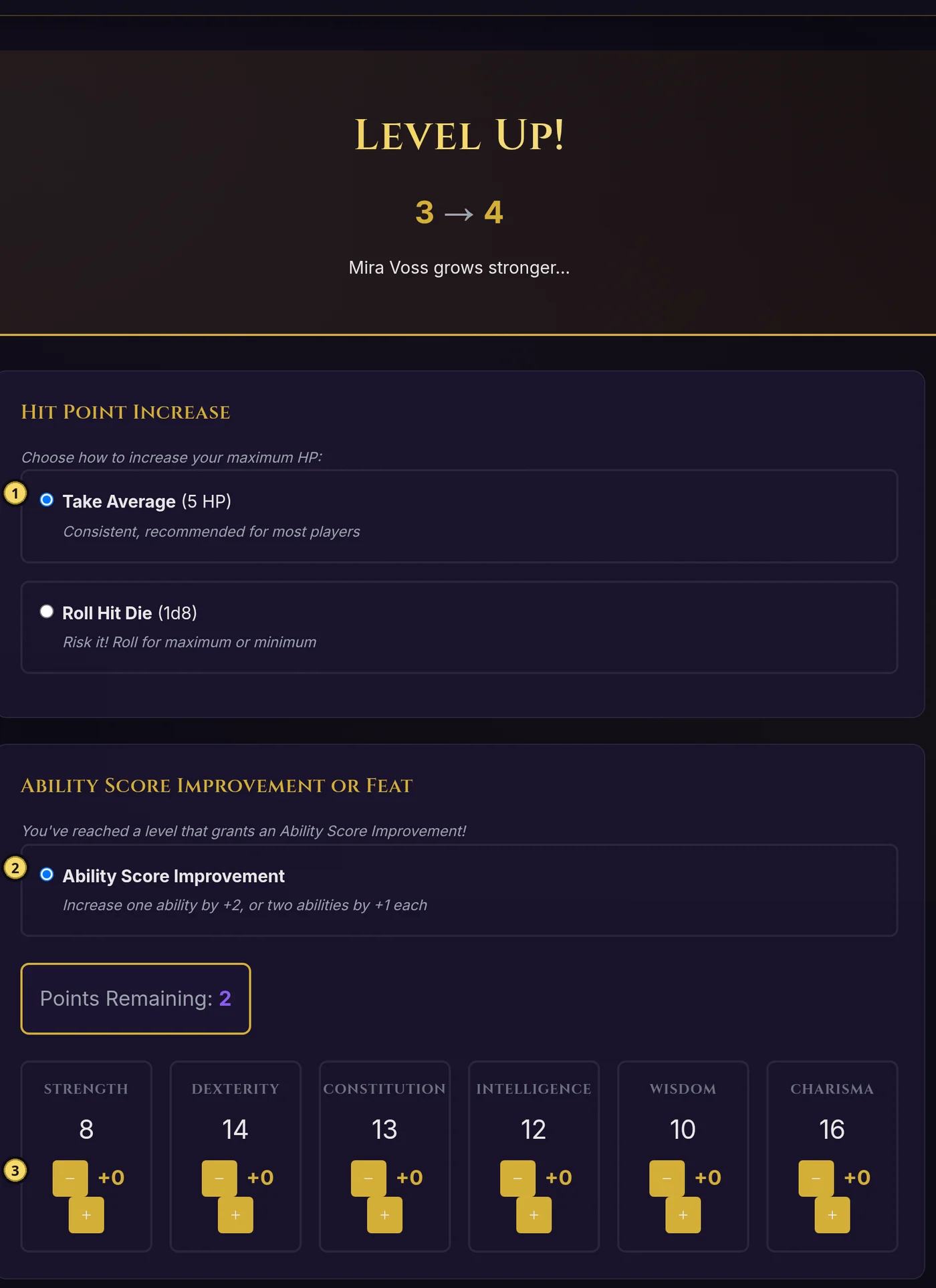
Level-Up Process

When your character levels up, you'll need to make several choices depending on your class:

  • Hit Points - Roll your hit die or take the average (rounded up)
  • Class Features - Gain new abilities based on your class and level
  • Spellcasters - New spell slots and potentially new spells known
  • ASI Levels (4, 8, 12, 16, 19) - Increase ability scores by 2 or choose a feat

Your character sheet will show a "Level Up Available" indicator when you have enough XP to advance. The level-up process guides you through all required choices.

Spellcasting

Overview

If your class has spellcasting abilities, your character sheet includes a Spells tab for managing your magical abilities. The spellcasting system supports all D&D 5e caster types with their unique mechanics.

Prepared Casters

Wizard, Cleric, Druid, Paladin - Choose which spells to prepare after each long rest from your full spell list.

Known Casters

Sorcerer, Bard, Ranger, Warlock - Have a fixed set of spells known that changes only on level-up.

Half Casters

Paladin, Ranger - Gain spellcasting at level 2 with delayed spell slot progression.

Pact Magic

Warlock - Unique system with fewer slots that all cast at maximum level and recover on short rest.

/spells

View your character's spellcasting information directly in Discord. Shows your spell slots (remaining/max), cantrips, and known or prepared spells.

/spells

The display includes your spellcasting ability, Spell Save DC, and spell attack bonus. For prepared casters, it shows prepared spells. For known casters (Sorcerer, Bard, etc.), it shows spells known. Warlocks will see a note about Pact Magic recovering on short rest.

Spell Slots

The Spells tab displays your spell slots as visual circles for each spell level. Available slots appear filled, while used slots appear empty. Click a slot to use it when casting a spell of that level or higher.

Your spellcasting stats are displayed at the top of the tab:

  • Spell Save DC - The DC enemies must beat to resist your spells
  • Spell Attack Bonus - Added to attack rolls for spells that require them
  • Spellcasting Ability - The ability score your magic is based on
  • Max Spell Level - The highest level spell you can cast

Restoring Spell Slots

  • Long Rest - Restores all spell slots for all casters
  • Short Rest - Restores Warlock Pact Magic slots only

Preparing Spells

If you're a prepared caster (Wizard, Cleric, Druid, Paladin), your Spells tab shows all spells you have access to. Click on a spell to prepare or unprepare it. The maximum number of prepared spells is shown at the top.

For known casters, your spell list shows only the spells you've learned. These are always available to cast as long as you have the appropriate spell slot.

Cantrips don't use spell slots and are always available. They're displayed in a separate section on your Spells tab.

Rest & Recovery

Overview

The Rest & Recovery system on your character sheet's Stats tab lets you manage resting, hit dice, class resources, and recovery. Following D&D 5e rules, short and long rests restore different amounts of your character's resources.

Hit Points Display

Your current and maximum HP are shown prominently at the top of the Rest & Recovery section.

Hit Dice

Track your available hit dice for healing during short rests. The die size depends on your class.

Class Resources

Visual tracking for class-specific abilities like Sorcery Points, Ki, Rage, Bardic Inspiration, and more.

Short Rest

A short rest is about 1 hour of downtime. During a short rest, you can spend hit dice to recover hit points. For each hit die spent, you roll your class's hit die and add your Constitution modifier (minimum 1 HP per die).

Click the Short Rest button to open the rest dialog. Choose how many hit dice to spend, then confirm to complete the rest.

What Recovers on Short Rest

  • Hit Points - Spend hit dice to heal (roll + CON modifier per die)
  • Warlock Pact Magic - All spell slots are restored
  • Ki Points - Monks recover all Ki points
  • Channel Divinity - Clerics and Paladins recover uses
  • Action Surge/Second Wind - Fighters recover these abilities
  • Wild Shape - Druids recover their Wild Shape uses
  • Bardic Inspiration - Bards (level 5+) recover inspiration dice

Long Rest

A long rest is 8 hours of sleep in a safe location. Long rests fully restore your character's resources.

Click the Long Rest button to see what will be restored, then confirm to complete the rest.

What Recovers on Long Rest

  • Hit Points - Restored to maximum
  • Hit Dice - Recover half your total hit dice (minimum 1)
  • Spell Slots - All spell slots are restored
  • All Class Resources - Everything recovers (Ki, Rage, Sorcery Points, etc.)
Questwright can also trigger rests narratively! When the party camps for the night or takes a breather after a tough fight, Questwright may automatically apply the appropriate rest effects to all characters.

Class Resources

Each class has unique resources that are tracked on your character sheet. Click on a resource box to use it (empty the slot) or restore it (fill the slot).

Sorcery Points (Sorcerer)

Equal to your sorcerer level. Used for Metamagic and Flexible Casting. Recover on long rest.

Ki Points (Monk)

Equal to your monk level. Used for Flurry of Blows, Patient Defense, Step of the Wind. Recover on short rest.

Rage (Barbarian)

Number of uses scales with level (2-6, unlimited at 20). Recover on long rest.

Bardic Inspiration (Bard)

Uses equal to CHA modifier (minimum 1). Recover on short rest at level 5+, otherwise long rest.

Channel Divinity (Cleric/Paladin)

Uses scale with level. Recover on short rest.

Action Surge / Second Wind (Fighter)

Action Surge (1-2 uses) and Second Wind (1 use). Both recover on short rest.

Lay on Hands (Paladin)

Pool of healing points equal to paladin level x 5. Recover on long rest.

Wild Shape (Druid)

2 uses, recover on short rest.

Resource boxes display a sun icon (☀) for short rest recovery or a moon icon (🌙) for long rest recovery, so you always know when your abilities will refresh.

Bug Reporting

Found a bug? Questwright includes a bug reporting system that lets you report issues directly from Discord or the web interface. All bug reports are tracked and reviewed by the development team.

/bug-report

Report a bug you encountered during gameplay. The report automatically captures context like the current session and your user information.

/bug-report description:[describe the bug]
Example
/bug-report description:The inventory didn't update after I picked up the sword from the chest

What gets captured:

  • Your description of the issue
  • Your Discord username and ID
  • Current session ID (if in a session)
  • Timestamp of the report

Web Bug Reports

You can also submit bug reports through the web interface by visiting the Bug Report page. This is useful for reporting issues with the web interface itself or when you're not in Discord.

When reporting a bug, include as much detail as possible: what you were doing, what you expected to happen, and what actually happened. Screenshots help too!

How Questwright Works

AI Features

Questwright uses advanced AI to create a dynamic, responsive game experience. Here's what happens behind the scenes:

Visual Feedback

Commands show "Questwright is thinking..." while processing, so you always know your action was received.

Automatic Story Tracking

Every significant event is recorded - discoveries, decisions, battles, conversations. Nothing is forgotten.

NPC Persistence

NPCs are tracked across sessions. When you learn an unnamed character's name, the record updates - no duplicates.

Multi-Action Handling

Complex actions are processed intelligently. Speak to multiple NPCs in one action? Questwright addresses each one.

Reputation System

Your actions have consequences. Help a town, and they'll remember. Cross a thieves' guild, and they'll remember too.

Callback System

Questwright references past events naturally. That NPC you saved? They might return to help you. That item you lost? It might resurface.

Spotlight Rotation

In group play, Questwright ensures everyone gets their moment. It tracks participation and creates opportunities for quieter players.

Pacing Detection

The AI monitors story pacing and adjusts. If things are dragging, it might introduce a complication. If it's too intense, it finds moments for breath.

Backstory Integration

Your backstory isn't just flavor text. Questwright actively weaves it into the campaign, creating personal stakes and emotional moments.

The more you engage with the system - adding backstory, building relationships, making meaningful choices - the more personalized and rich your experience becomes.

Time & Calendar System

Questwright tracks the passage of time in your campaign, including days, seasons, and special events. Time advances automatically during play (travel, resting, waiting) and affects the world around you.

In-Game Date Tracking

The campaign page shows the current in-game date, time of day (morning, afternoon, evening, night), and season. Watch time pass as your story unfolds.

Calendar Systems

Choose from multiple calendar systems: simple day counting ("Day 42"), the Forgotten Realms Harptos calendar with festivals and proper months, or a Gregorian calendar.

Seasonal Effects

Seasons change as days pass. Weather patterns adapt to the current season, affecting travel, mood, and encounters.

Calendar Events

Track festivals, deadlines, recurring events, and plot triggers. Questwright can automatically fire events when their day arrives.

Harptos Calendar

For Forgotten Realms campaigns: full support for the 12-month calendar with festival days (Midwinter, Greengrass, Midsummer, Highharvestide, Feast of the Moon).

Procedural Generation

Questwright uses a "code for determinism, Claude for creativity" approach. Procedural generators create consistent, rule-based content, while the AI adds narrative flavor and context.

NPC Names

Race and gender-appropriate names from a database of 500+ names across 9 cultural traditions.

Location Names

Terrain-based generation using 3 naming patterns across 8 terrain types for natural-sounding place names.

Loot Tables

Context-aware treasure generation with 40+ entries scaled by character tier and encounter type.

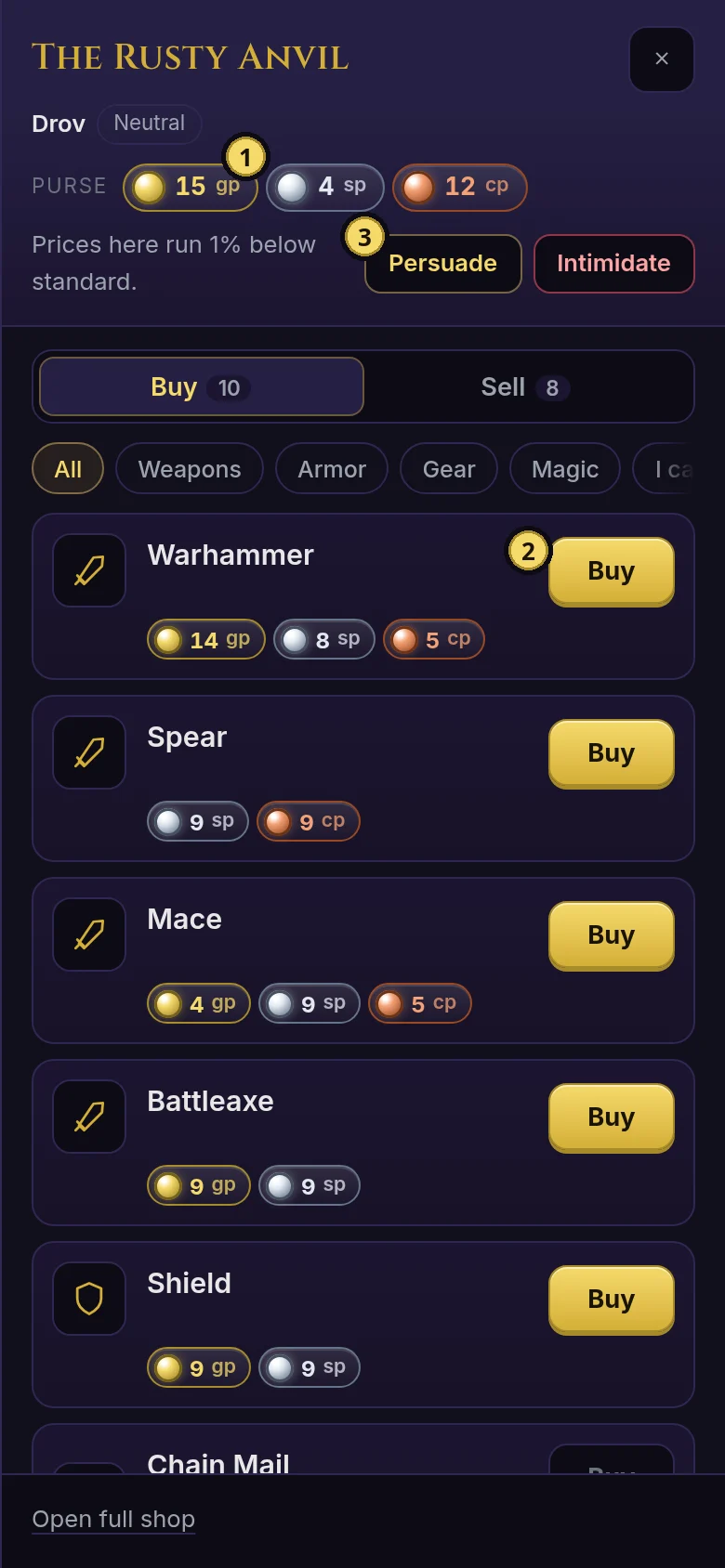
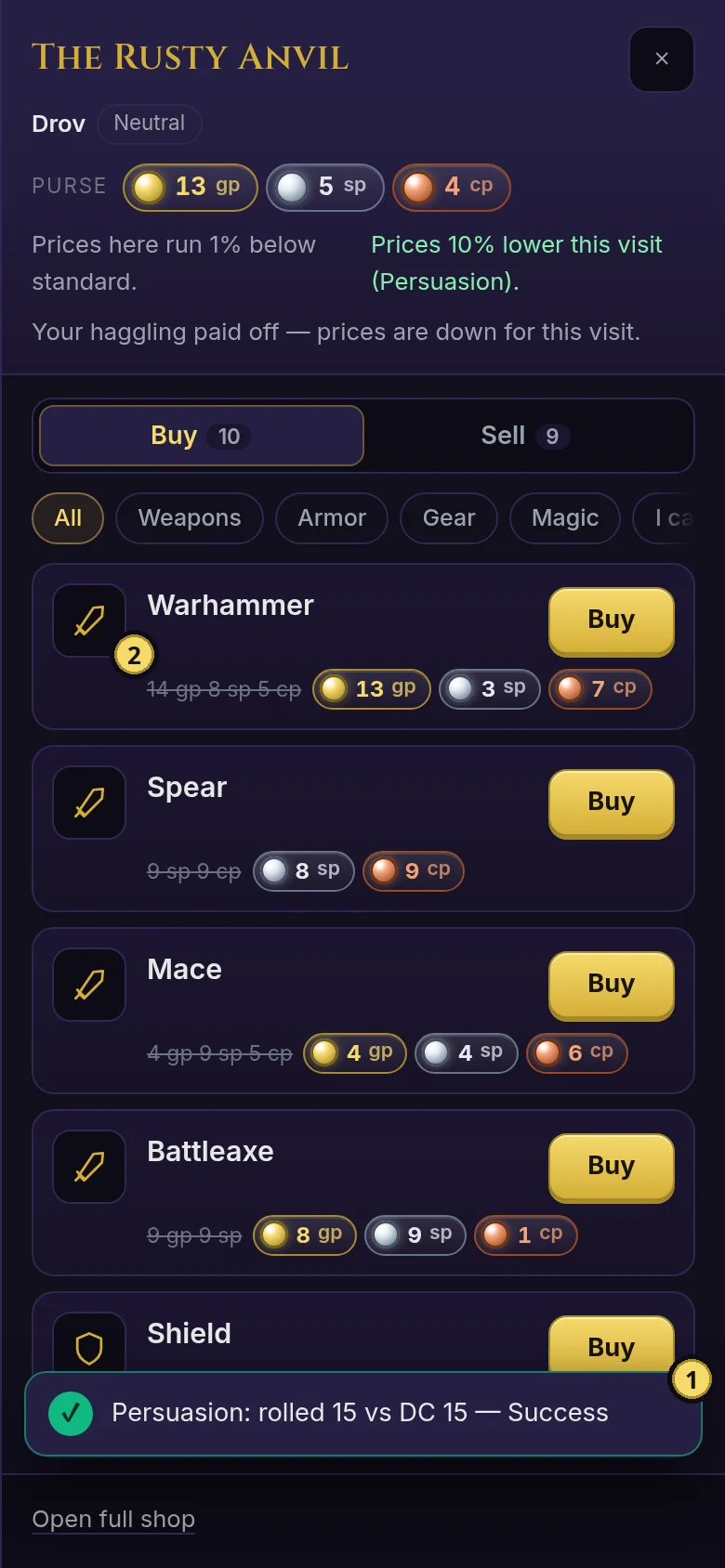
Shop Inventories

Settlement-appropriate stock from 17 shop templates. A blacksmith in a mining town sells different items than one in a coastal city.

Quest Generator

6 quest types × 3 difficulty tiers, with complications and twists added procedurally.

Random Encounters

Terrain and level-appropriate encounters using the D&D 5e monster database.

Weather System

Dynamic weather that affects travel, mood, and combat. Weather patterns are consistent with terrain and season.

Dungeon Generator

BSP algorithm creates multi-level dungeons with themed rooms, traps, and encounters.

Community

Join the Guild

Connect with fellow adventurers on our official Discord server. Get help, share your epic campaign moments, and stay updated on the latest features and updates.

What you'll find:

  • Help & Support - Get answers from the community and dev team
  • Campaign Stories - Share your epic victories and hilarious failures
  • Feature Requests - Suggest new features and vote on ideas
  • Dev Updates - First to know about new features and changes
  • Leveling System - Earn XP by participating and unlock guild ranks
Join Discord Server